
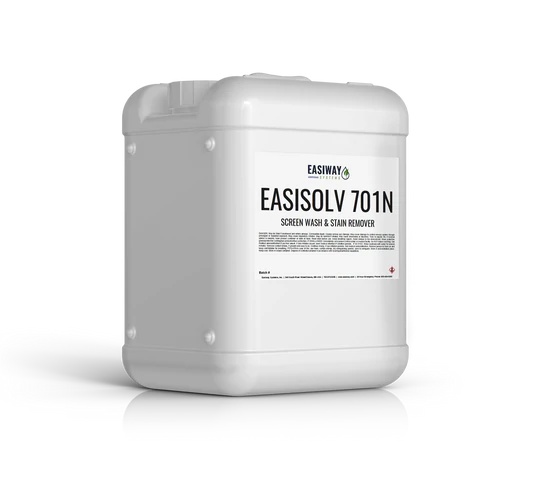
Easiway EasiSolv 701N Non Foaming Screen Wash & Stain Remover
Easiway 701 Screen Wash and Stain Remover is a highly effective solution designed to clean screens and remove stubborn stains with ease. This versatile product is perfect for screen printers who need a reliable and efficient cleaner to maintain the quality and longevity of their screens.
$20.18 – $2,074.49
Description
Key Features:
- Powerful Cleaning: Easiway 701 effectively removes ink, emulsion, and ghost images, ensuring your screens are spotless and ready for the next print job.
- Versatile Use: Suitable for both manual and automated cleaning processes, making it a flexible choice for any screen printing operation.
- Eco-Friendly: Formulated to be environmentally safe, this screen wash reduces your ecological footprint while providing top-notch cleaning performance.
- Non-Hazardous: Easiway 701 is free from hazardous substances, ensuring a safer work environment for you and your team.
- Low Odor: Designed with a low-odor formula, it makes the screen cleaning process more pleasant and comfortable.
Key Benefits:
- Deep Stain Removal: Penetrates deep into the mesh to remove even the most stubborn stains and ghost images, restoring your screens to their original condition.
- Quick and Efficient: Reduces cleaning time with its fast-acting formula, allowing you to spend more time printing and less time cleaning.
- Enhanced Screen Longevity: Regular use of Easiway 701 helps to extend the life of your screens by maintaining their cleanliness and preventing buildup.
- Cost-Effective: A little goes a long way, making Easiway 701 a cost-effective solution for your screen cleaning needs.
Easiway 701 Screen Wash and Stain Remover is your go-to solution for maintaining pristine screens, ensuring high-quality prints, and extending the life of your screen printing equipment. Keep your screens in top condition with the powerful cleaning capabilities of Easiway 701.
Technical Specifications
Instructions for Manual Use:
- Ensure proper ventilation in your workspace and wear appropriate safety gear, including gloves and eye protection.
- Start by removing excess ink from the screen using a spatula or scraper.
- Apply EasiSolv 701N Screen Wash & Stain Remover directly to both sides of the screen where ink, adhesives, coatings, or stains are present.
- Use a soft brush soaked in water to work the EasiSolv 701N into the affected areas. The water helps activate the solvent and improve its effectiveness.
- Let the product dwell on the screen for a few seconds to allow it to penetrate and dissolve the ink and stains effectively.
- Scrub the screen gently but thoroughly to ensure complete removal of ink and stains.
- Rinse both sides of the screen with a high-pressure water hose to remove all residue and cleaning solution.
- If needed, repeat the process for stubborn stains or heavily inked screens.
- Wash thoroughly with water after cleaning to ensure no residues remain.
Instructions for Automatic Inline Reclamation System:
- Set up the automatic inline reclamation system according to the manufacturer’s instructions.
- Ensure the system is properly connected and functioning.
- Dilute EasiSolv 701N Screen Wash & Stain Remover with water according to the manufacturer’s recommended ratio.
- Fill the system’s reservoir with the diluted EasiSolv 701N solution.
- Load the screens into the system’s conveyor or holder.
- Activate the system and allow it to automatically apply EasiSolv 701N to both sides of the screens.
- Use a water-soaked brush to gently work the EasiSolv 701N into the screens. The water helps activate the solvent and improve its effectiveness.
- The system will allow the product to dwell on the screens for a specific duration, ensuring effective ink and stain removal.
- The system will then rinse the screens with a high-pressure water spray to remove all residue and cleaning solution.
- Check the screens for any remaining stains or ink. If needed, repeat the process or manually spot-clean any trouble areas.
- Follow any additional manufacturer’s recommendations for system maintenance and safety.
Remember to always refer to the product label and the specific instructions provided by the manufacturer for the best results and safe usage of EasiSolv 701N Screen Wash & Stain Remover in both manual and automatic applications.
Technical Sheets / Safety Data Sheets / Documents
Video
Reviews
Only logged in customers who have purchased this product may leave a review.
Reviews