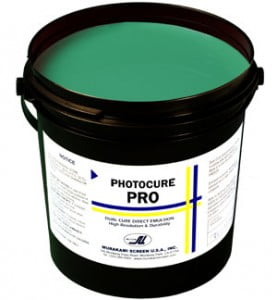
Murakami Photocure Pro Emulsion: Versatile Solution for Waterbase, Discharge, Solvent, and Plastisol Inks
Elevate Your Printing with Murakami Photocure Pro Emulsion – Versatility Redefined. Introducing the game-changing solution that empowers screen printers to push their creative boundaries – Murakami Photocure Pro Emulsion. Unleash your potential with this exceptional dual-cure emulsion that seamlessly handles a diverse range of inks and applications. From water-based to solvent-based, discharge to plastisol inks, Photocure Pro stands as your steadfast companion on your journey to remarkable prints.
$29.99 – $2,400.00
Description
Murakami Photocure Pro Emulsion Key Features:
- ? Blue-Colored Brilliance: Photocure Pro’s distinctive blue hue ensures easy visibility and precise application, allowing you to conquer intricate designs.
- ?️ Exceptional Resolution: Unlock the ability to image halftones and intricate details with ease. Photocure Pro delivers unrivaled resolution, perfect for high-end graphics and electronics.
- ? Wide Latitude Ease: Embrace the simplicity of a wide latitude emulsion that caters to both novice and seasoned printers. Photocure Pro’s ease of use empowers all levels of expertise.
- ? Ink Versatility: Dive into a world of possibilities with Photocure Pro’s compatibility with UV, plastisol, solvent-based, and water-based ink systems. Experience seamless performance across diverse applications. ? Virtually Pin Hole and Fish Eye Free: Say goodbye to common imperfections. Photocure Pro ensures a flawlessly smooth surface, allowing your creativity to shine.
- ⚙️ Enduring On-Press Performance: Photocure Pro stands strong, delivering exceptional durability on press, ensuring consistent and reliable prints.
- ?️ Harness Water-Based Inks: When hardened with Murakami Hardeners, Photocure Pro becomes an ally for water-based ink systems, expanding your creative horizons.
- ?️Outstanding Definition: Experience prints that truly capture the essence of your designs. Photocure Pro boasts outstanding resolution and definition properties that leave a lasting impression. ? 38% Solids Content: A well-balanced formula designed to empower your printing endeavors.
From high-end graphics to simulated process apparel printing, Murakami Photocure Pro Emulsion transcends boundaries, enabling you to turn visions into tangible masterpieces. It’s more than an emulsion; it’s your passport to excellence in screen printing.
Are you ready to embark on a journey of innovation and quality? Photocure Pro awaits, ready to transform your screen printing experience. Seize the opportunity to redefine your artistry and bring your designs to life with uncompromising precision and vibrancy. Elevate your printing with Murakami – where innovation meets possibility.
Technical Specifications
Using Murakami Photocure Pro Emulsion: Step-by-Step Guide:
Note: Prior to initiating the emulsion application process, ensure you’re working in a light-safe environment to prevent premature exposure.
Unlock extraordinary screen printing outcomes with Murakami Photocure Pro Emulsion. Follow these simple steps to achieve accurate application and impeccable prints:
Materials Needed:
- Mesh degreaser Murakami
- Photocure Pro Emulsion
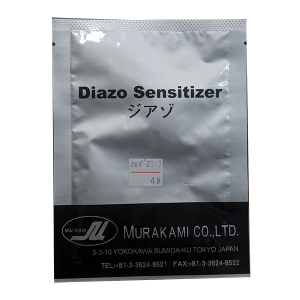
- Diazo (included with the emulsion when you order)
- Emulsion scoop coater
- Clean drying cabinet
- Exposure unit with photopositive
- Lukewarm water source
How to Use Murakami Photocure Pro:
- Degrease the Mesh: Apply mesh degreaser to both sides of the mesh, generating a lather. Thoroughly rinse the screen and frame with water, then allow it to fully dry.
- Coating Process: Set the screen on a stable surface, slightly tilted upwards. Pour an ample amount of Murakami Photocure Pro Emulsion into the scoop coater. Hold the scoop coater at a slight angle and apply the emulsion to the print side of the screen. Ensure uniform and consistent coverage using a smooth, steady pass. Flip the screen and use the scoop coater to apply one coat of emulsion to the squeegee side. For a thicker stencil, apply more coats to the squeegee side while the emulsion is wet. Note: Applying a single coat on each side of Photocure Pro is equivalent to four coats of wet-on-wet application with standard diazo-based emulsions. Allow the emulsion to fully dry between coats.
- Level Drying: Place the screen in a clean and dark drying cabinet. Ensure the screens are entirely level with the print side facing down. Maintain the cabinet’s temperature below 110 degrees Fahrenheit (43 degrees Celsius). Allow the emulsion to dry thoroughly before proceeding.
- Film Positive Placement: Position the film positive on the shirt side of the screen, ensuring direct contact with the emulsion. Expose the screen using your exposure unit. Exposure times may differ based on your light source and coating techniques. Accurate exposure is crucial for optimal results. Utilize an exposure calculator to determine the ideal exposure time.
- Development: Gently spray both sides of the screen with lukewarm water. Wait approximately 30 seconds. Gently wash the print side until the image becomes fully visible. Thoroughly rinse both sides of the screen with water. Ensure the screen is completely dry before proceeding to the printing phase.
- Printing: Armed with a well-exposed and developed screen, you’re ready to dive into the screen printing process.
- Final Steps: Handle the screen and emulsion in a light-safe area to avoid premature exposure. Store Murakami Photocure Pro Emulsion in a cool, dry space to preserve its quality.
By meticulously following these steps, you can unleash the power of Murakami Photocure Pro Emulsion to achieve outstanding screen printing results. Elevate your prints using this premium emulsion and bring your creative vision to life with precision and confidence.
For optimal emulsion results, employ an exposure calculator tailored to your setup. Exposure times may fluctuate based on factors such as coating technique, light source, emulsion type, and thickness. An exposure calculator guarantees accurate exposure times, enabling you to fine-tune your emulsion process for remarkable screen printing outcomes.
Experiencing issues with screen exposure? Explore our emulsion troubleshooting page, providing insights into common challenges and effective solutions. This comprehensive guide offers the necessary support to ensure consistent and successful screen printing outcomes.
Technical Sheets / Safety Data Sheets / Documents
Video
Reviews
Only logged in customers who have purchased this product may leave a review.
Reviews