
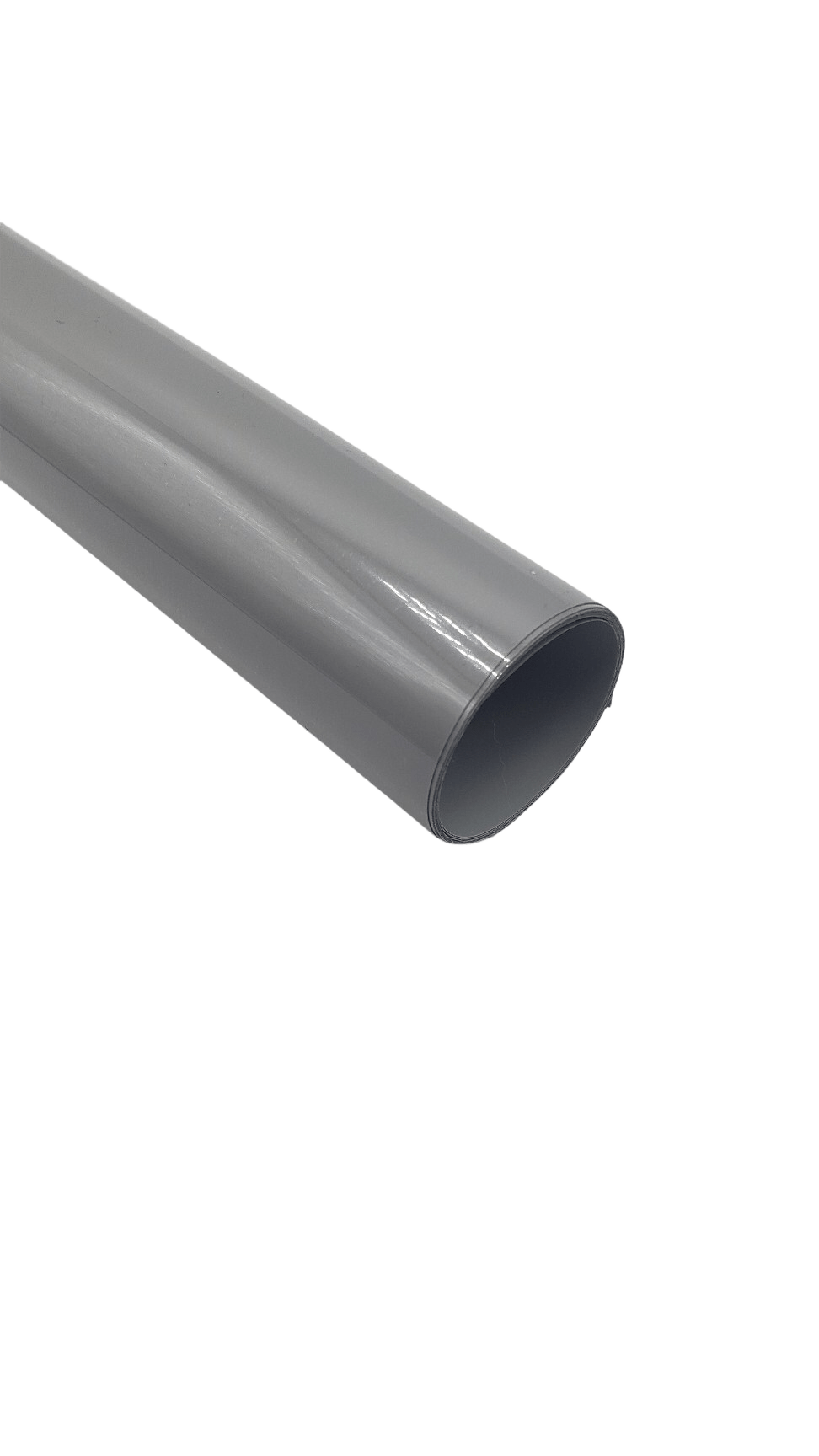

Siser EasyWeed 15” Gray Heat Transfer Vinyl – Premium Crafting Material
Siser EasyWeed Gray Heat Transfer Vinyl, sized at 15 inches, offers the ultimate means to infuse your designs with a touch of understated elegance. Engineered for effortless application on a wide range of fabrics and surfaces, this versatile material opens up limitless possibilities for customization. Whether you’re enhancing t-shirts, hoodies, tote bags, or other items, Siser Gray HTV introduces a sophisticated and captivating shade that commands attention. With its seamless application process, this heat transfer vinyl streamlines the creation of polished and professional-looking designs, making it an excellent choice for both beginners and experienced crafters. Resilient and enduring, your creations maintain their allure even after multiple wears and wash cycles. Whether you’re crafting to reflect your personal style or pursuing business goals, Siser Gray Heat Transfer Vinyl ensures that your designs leave a lasting impression.
$9.99
Description
Siser EasyWeed 15” Gray Heat Transfer Vinyl Key Features:
- Vibrant Shade: Gray Siser HTV offers a stylish and versatile neutral shade, perfect for a variety of design styles and fabric tones.
- Effortless Application: Siser HTV, in its gray variation, is renowned for its user-friendly application. It adheres seamlessly to a range of fabrics and materials, catering to both novices and skilled creators.
- Cutting and Weeding: Gray Siser HTV is easy to cut and weed, simplifying the creation of intricate designs without the challenges of fine detailing.
- Versatility: Gray Siser HTV is compatible with various fabrics, including cotton, polyester, cotton-poly blends, and more. This adaptability empowers you to utilize it across diverse garment types and projects.
- Reliability: Like all Siser HTV offerings, the gray variant is engineered for durability and consistent performance. It endures regular washing and wear without fading or peeling.
- Layering: Gray HTV is perfect for layering on lighter fabrics. Often utilized as a base layer for multi-colored designs, it allows contrasting colors to pop against it.
- Heat Resistance: Gray Siser HTV can be applied using a heat press at the recommended temperature (typically around 305°F or 150°C) without the risk of discoloration or damage.
- Peeling Options: Depending on your preference and the vinyl version, you can peel the carrier sheet while it’s hot or after it cools down post-pressing, providing flexibility to your application process.
- Professional Finish: Gray HTV imparts a sleek and professional finish to your designs. Its muted, sophisticated hue makes it a versatile choice for various applications.
- Adhesion Strength: Gray Siser HTV is designed to provide strong adhesion to fabrics, ensuring your designs remain secure even with frequent use.
Note: Just like with any form of Siser HTV, adhering to the manufacturer’s application instructions is vital for optimal results. Specific product lines or updates may introduce variations while retaining the core features. Always refer to the latest product information and recommendations from Siser to achieve the best possible outcomes for your projects.
Pantone: 422U
Technical Specifications
| Application instructions (home iron) • Set iron dial between Cotton and Linen • Cover with Heat Transfer Cover Sheet or Multipurpose Paper • Place on flat, hard surface (ironing board not recommended) • Press iron with medium/firm pressure (do not slide iron) • Press each section of design for 10-15 seconds • If areas of design lift after application, replace cover sheet and re-press for 5-10 seconds • Peel carrier hot or cold |
Application Instructions (heat press) • Cover with Heat Transfer Cover Sheet or Multipurpose Paper • Preheat garment for 2-3 seconds • Apply design at 305°F/150°C • Use medium pressure for 10-15 seconds • Peel carrier hot or cold |
Cutter Settings:
 |
Cricut: Blade: Standard Setting: Iron-on |
 |
Silhouette Cameo: Blade: Standard, 2 Material: Heat Transfer, Smooth Speed: 8 Force: 4 |
 |
Brother ScanNCut: Blade: Standard, 2 Cut Speed: 1 Cut Pressure: 4 |
 |
Roland GX/GS-24: Blade: 45° Gram Force: 80-90 Offset: .250 Speed: 25-50 cm/s |
 |
Graphtec: Blade: 45° Force: 8-9 Tool: CB09+0 Speed: 30 cm/s |
 |
MH, SC2, LP3, and Titan1: Blade: 45°/60° Gram Force: 80-85 Speed: 300 mm/s *Blade Advancing Varies |
 |
Titan 2 & 3: Blade: 45°/60° Gram Force: 80-85 Speed: 300 mm/s *Blade Advancing Varies |
Specifications and Application:
- Measurements: 15 inches wide
- Material: PU composition with a semi-gloss finish
- Thickness: 3.5 Mils
- Carrier: Clear or frosted pressure-sensitive backing
- Layering: Yes
- Applies to:
- 100% cotton
- 100% polyester
- Poly/cotton blends
- Leather
Certifications and Tools:
- Certifications: CPSIA compliant, ensuring safety for various applications
- Recommended Tools: Enhance your crafting experience with the PinPen™, Siser Weeding Tool, Teflon Sheet, and Pressing Pillow
Efficient Heat Application:
- Time: 10-15 seconds
- Temperature: 305°F / 150°C
- Pressure: Medium
- Peel: Hot or Cold
Caring for Your Creations:
- Wait: Allow 24 hours before the first wash
- Washing: Machine wash warm with mild detergent
- Drying: Dry at a normal setting
- Avoid: Do not dry clean; no chlorine bleach
Ignite your artistic journey with Siser Red Heat Transfer Vinyl. Unleash your creativity onto garments, bags, accessories, and more. With EasyWeed as your companion, your designs will capture attention and stand the test of time, offering a truly personalized touch to your creations.
To effectively apply Siser EasyWeed Heat Transfer Vinyl using a heat press, follow these step-by-step directions:
- Prepare Your Design: Ensure your design is properly cut and weeded, leaving only the desired elements on the carrier sheet.
- Preheat Your Heat Press: Turn on your heat press and set the temperature to 305°F (150°C). Allow the heat press to fully heat up to the desired temperature.
- Prepare Your Garment: Place the garment you intend to apply the vinyl onto the heat press platen. Smooth out any wrinkles and ensure the area you are applying the design to is flat and even.
- Position the Design: Lay the weeded design onto the garment, with the carrier sheet facing up and the adhesive side down onto the fabric. Position the design precisely where you want it to appear on the garment.
- Cover the Design: Place a Heat Transfer Cover Sheet or a piece of Multipurpose Paper over the design. This cover sheet prevents direct contact between the heat press platen and the carrier sheet, protecting both the vinyl and your heat press.
- Preheat the Garment: Close the heat press and apply light pressure for about 2-3 seconds. This preheating step helps eliminate any moisture and wrinkles from the fabric, ensuring better adhesion.
- Apply the Design: After preheating, lift the press and carefully remove the cover sheet or multipurpose paper. Place the heat press platen with the design back onto the garment. Apply medium pressure and maintain the temperature at 305°F (150°C). Press for 10-15 seconds.
- Peel Carrier Sheet: Once the pressing time is complete, lift the heat press and carefully peel the carrier sheet away from the design. You can peel the carrier sheet either when it’s still hot or after it has cooled down, depending on your preference. Pull the carrier sheet back over itself in a smooth, even motion.
- Cooling Period: Allow the garment to cool down for a few moments. This ensures that the adhesive sets properly, creating a lasting bond between the vinyl and the fabric.
- Final Inspection: After the garment has cooled down, inspect the design to ensure that it has adhered properly and that no edges are lifting. If any part of the design is not adhered well, cover it back up with the carrier sheet and reapply heat and pressure for a few more seconds.
Remember that specific heat presses may have variations in temperature accuracy and pressure application. It’s a good idea to perform a test application on a scrap piece of fabric or a sample before working on your final project to ensure that you achieve the desired results.
Following these steps should result in a successful application of Siser EasyWeed Heat Transfer Vinyl, creating vibrant and long-lasting designs on your garments.
Technical Sheets / Safety Data Sheets / Documents
Video
Reviews
Only logged in customers who have purchased this product may leave a review.
You May Also Like
Related products
-
Sale!

River City 20” Pink Roses Foil Heat Transfer Vinyl Pattern – Metallic Brilliance
Original price was: $12.00.$10.00Current price is: $10.00. -
Siser Easyweed 15” Stretch Bright Orchid Heat Transfer Vinyl – Thin and Flexible HTV
$10.99 -
Sale!
Siser EasyWeed 20” Royal Blue Twinkle Heat Transfer Vinyl – Dazzle with Sparkly Crafting Creations
Original price was: $12.50.$10.50Current price is: $10.50. -
Sale!
Siser EasyWeed 20” Gold Twinkle Heat Transfer Vinyl – Dazzle with Sparkly Crafting Creations
Original price was: $12.50.$10.50Current price is: $10.50.
Reviews