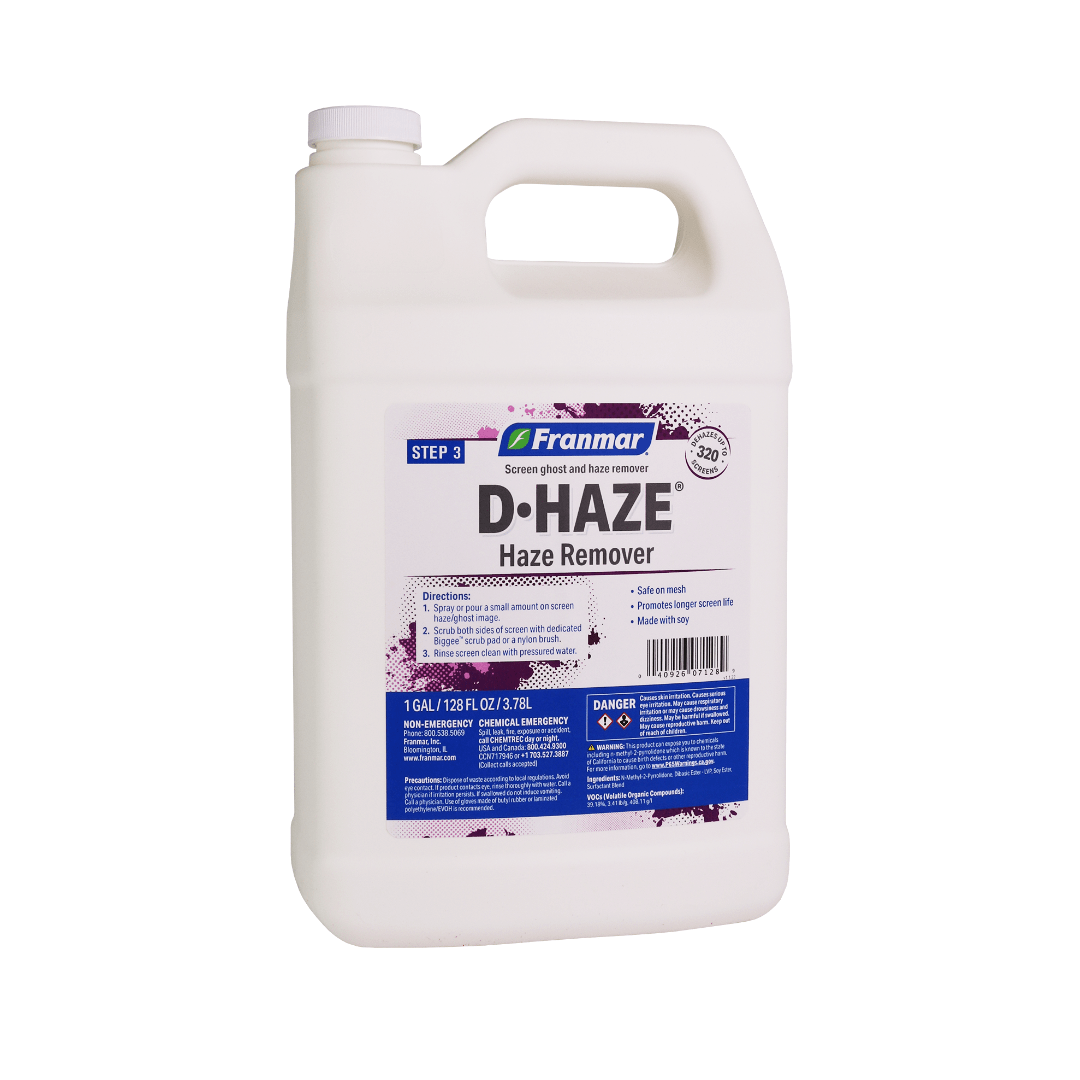
Franmar Haze Remover – D Haze
Franmar’s Haze Remover is one of the safest and most effective ghost and haze removers in the industry today. Unlike traditional caustic haze removers, Haze Remover will not damage screen mesh no matter how long you leave it on. Good haze removal practices save screen printers money with longer usability of screens.
$24.99 – $344.95
Description
- Formerly Known as d-Haze
- Safe on Mesh
- Promotes Longer Screen Life
- Made with 100% American Grown Soybeans
Technical Specifications
Directions:
Do not get Haze Remover on the glued portion of the screen as it will remove glues and adhesives.
1. On a slightly damp screen, spray or pour a minimal amount onto screen haze/ghost image.
2. Scrub screen with a dedicated Biggee pad or nylon brush.
3. Repeat on back of screen image.
4. Rinse screen clean with pressured water or use a damp cloth to wipe both sides of screen.
Note: For best results, be sure to dehaze screens every time after reclaiming. Use a separate degreasing step after dehazing when working with high mesh counts (380 or more), halftones, and costly films.
Usage Tips:
- Use each time immediately after emulsion or stencil removal so ghost/haze will not set in the screen.
- Control amount by using a spray bottle and avoid frame edges as Haze remover will remove the glue holding the mesh to the frame.
- Use Franmar’s Screen Degreaser to remove any residue
pH Level: 8.1
VOC (Volatile Organic Compounds): 39.18%, 3.41lb/g, 408.11 g/l
Technical Sheets / Safety Data Sheets / Documents
Video
Reviews
Only logged in customers who have purchased this product may leave a review.
Reviews