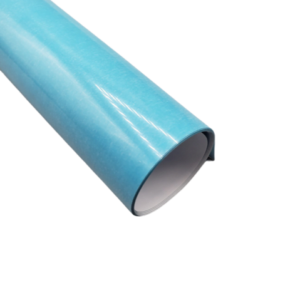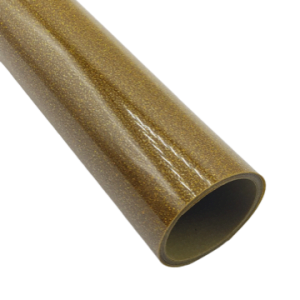
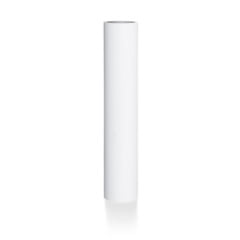

Siser EasyWeed® 15” Glow In The Dark Heat Transfer Vinyl – Glow HTV for Cricut, Silhouette & Custom T-Shirts
Siser
Siser EasyWeed® 15” Glow In The Dark Heat Transfer Vinyl delivers a vibrant daytime look that transforms into a bright glow when the lights go out. Perfect for Halloween apparel, event shirts, kids’ clothing, promotional graphics, and novelty designs, this specialty HTV charges in light and glows in dark environments for eye-catching results.
Designed for hobby crafters and production shops alike, the 15-inch width works seamlessly with desktop cutter plotters like Cricut®, Silhouette®, and other craft cutters. It cuts cleanly, weeds easily, and presses consistently onto a wide range of fabrics.
Its slightly thicker construction allows for strong glow performance while still maintaining dependable adhesion and long-term durability through repeated washing and everyday wear.
Price range: $19.99 through $713.99
Description
Siser EasyWeed® 15” Glow In The Dark HTV – Key Features:
• Glow-in-the-dark finish – Charges in light and glows in dark settings
• 15” wide roll – Ideal for craft cutters and small-format production
• Adheres to cotton – Perfect for standard t-shirts and apparel
• Works on polyester and poly/cotton blends – Versatile garment compatibility
• Easy to cut and weed – Clean lines and solid detail retention
• Pressure-sensitive carrier – Allows repositioning before pressing
• Layerable – Can be layered as top layer only
• Hot or warm peel – Flexible application options
• Durable and wash-resistant – Designed for long-term wear
• CPSIA Certified – Safe for children’s apparel
Why Choose Siser EasyWeed® Glow In The Dark?
• High visual impact – Perfect for night events and novelty apparel
• Charges quickly – Glows brightly after light exposure
• Reliable press performance – Consistent temperature and peel results
• Trusted by apparel decorators – Ideal for craft and small production runs
• Unique specialty finish – Adds value to custom designs
Ideal For:
• Halloween apparel
• Kids and youth clothing
• Event and festival shirts
• Promotional merchandise
• Custom novelty apparel
• Personalized gifts
Technical Specifications
| Application instructions (home iron) • Set iron dial between Cotton and Linen • Cover with Heat Transfer Cover Sheet or Multipurpose Paper • Place on flat, hard surface (ironing board not recommended) • Press iron with medium/firm pressure (do not slide iron) • Press each section of design for 10-15 seconds • If areas of design lift after application, replace cover sheet and re-press for 5-10 seconds • Peel carrier hot or cold | Application Instructions (heat press) • Cover with Heat Transfer Cover Sheet or Multipurpose Paper • Preheat garment for 2-3 seconds • Apply design at 305°F/150°C • Use medium pressure for 10-15 seconds • Peel carrier hot or cold |
Cutter Settings:
![]() | Cricut: Blade: Standard Setting: Iron-on |
![]() | Silhouette Cameo: Blade: Standard, 2 Material: Heat Transfer, Smooth Speed: 8 Force: 4 |
![]() | Brother ScanNCut: Blade: Standard, 2 Cut Speed: 1 Cut Pressure: 4 |
![]() | Roland GX/GS-24: Blade: 45° Gram Force: 80-90 Offset: .250 Speed: 25-50 cm/s |
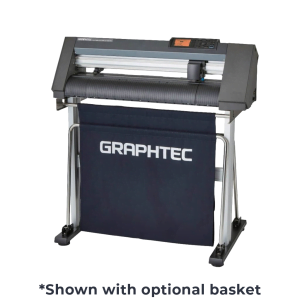
![]() | Graphtec: Blade: 45° Force: 8-9 Tool: CB09+0 Speed: 30 cm/s |
![]() | MH, SC2, LP3, and Titan1: Blade: 45°/60° Gram Force: 80-85 Speed: 300 mm/s *Blade Advancing Varies |
![]() | Titan 2 & 3: Blade: 45°/60° Gram Force: 80-85 Speed: 300 mm/s *Blade Advancing Varies |
Technical Sheets / Safety Data Sheets / Documents
FREQUENTLY ASKED QUESTIONS
What temperature and time do I use to press Siser EasyWeed HTV?
The recommended press settings for Siser EasyWeed are 305°F (150°C) for 10–15 seconds at medium pressure. Preheat the garment for 2–3 seconds before applying the design. EasyWeed can be peeled either hot or cold.
If using a Cricut EasyPress, set it to 335°F for 15 seconds with firm pressure on a hard surface. When using a household iron, set between Cotton and Linen (no steam) and press firmly for 10–15 seconds per section without sliding the iron.
Always cover the design with a Teflon sheet or parchment paper. If areas lift, re-press for 5–10 seconds.
What fabrics does Siser EasyWeed work on?
Siser EasyWeed adheres to:
• 100% cotton
• 100% polyester
• Poly/cotton blends
• Leather
For stretchy performance fabrics like Lycra or spandex, use EasyWeed Stretch. For nylon, use EasyWeed Extra.
When applying to sublimated polyester, use EasyWeed Sub Block to prevent dye migration.
How do I wash shirts with Siser EasyWeed HTV?
For best durability:
• Wait 24 hours before first wash
• Turn garment inside out
• Machine wash warm or cold
• Use mild detergent
• Tumble dry normal
• Do not dry clean
• Avoid chlorine bleach
• Avoid liquid fabric softener
When applied correctly, EasyWeed will not peel, crack, or fade through normal washing.
Can I use Siser EasyWeed with Cricut or Silhouette?
Yes. EasyWeed is compatible with:
• Cricut Explore, Maker, Joy
• Silhouette Cameo and Portrait
• Brother ScanNCut
• Graphtec
• Roland
• Siser Romeo and Juliet cutters
Always mirror your design and cut carrier-side down. Perform a test cut before full production.
Can Siser EasyWeed be layered?
Yes. EasyWeed is fully layerable.
For best results:
• Limit to 3 layers for comfort
• Use a 2–3 second tack press for base layers
• Apply full 10–15 second press after final layer
Layer like products together for best wash durability.
Is Siser EasyWeed safe for children’s clothing?
Yes. Siser EasyWeed is:
• CPSIA Certified
• OEKO-TEX® STANDARD 100 certified
It meets federal safety standards for children’s apparel and is safe for infant, toddler, and youth garments.
What is weeding and why is EasyWeed easier?
Weeding is removing excess vinyl from around your cut design before pressing.
EasyWeed features a pressure-sensitive sticky carrier that:
• Holds fine details in place
• Allows repositioning if lifted
• Makes intricate designs easier to weed
For even easier weeding, warm the vinyl slightly before removing excess material.
How many colors does Siser EasyWeed come in?
Standard EasyWeed offers 47+ colors.
The full EasyWeed family includes over 126 colors across:
• EasyWeed (Standard)
• EasyWeed Electric
• EasyWeed Fluorescent
• EasyWeed Glow in the Dark
• EasyWeed Stretch
• EasyWeed Sub Block
• Siser Glitter
• Siser Holographic
Why is my Siser EasyWeed not sticking?
The most common causes are:
• Not enough pressure
• Incorrect temperature
• Not pressing long enough
• Washing before 24 hours
• Fabric softener residue
Re-press lifted areas for 5–10 seconds with medium pressure. Use a pressing pillow for seams and uneven surfaces.
What are the specifications of Siser EasyWeed?
• Composition – Polyurethane (PU)
• Thickness – 90 microns / 3.5 mils
• Finish – Semi-gloss
• Carrier – Pressure-sensitive sticky carrier
• Peel – Hot or cold
• Press Temperature – 305°F (150°C)
• Press Time – 10–15 seconds
• Pressure – Medium
• Compatible Fabrics – Cotton, polyester, blends, leather
• Safety Certifications – CPSIA Certified, OEKO-TEX® STANDARD 100
• Manufactured in Italy
Reviews
Only logged in customers who have purchased this product may leave a review.


Reviews