
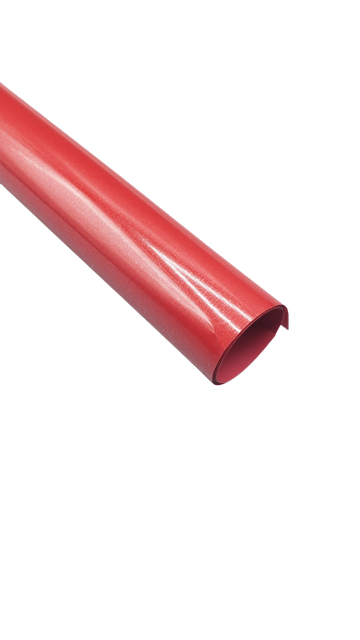

Siser EasyWeed 20” Red Heat Transfer Vinyl – Premium Crafting Material
Why is EasyWeed Red our number one selling heat transfer vinyl? Simple, the EasyWeed Red Advantage! EasyWeed Red applies at a lower temperature than competitor material, backing can be peeled hot or cold and doesn’t lift during weeding. It’s also extremely durable wash after wash and uses a lower pressure setting for application. EasyWeed Red is thinner than others on the market and offers a one-second tack application that’s great for multiple layers. EasyWeed Red has a pressure sensitive carrier that allows you to offer detailed designs on a wide variety of fabrics. EasyWeed Red can be cut with laser systems.
$11.99
Description
Siser EasyWeed 20” Red Heat Transfer Vinyl Key Features:
- Bold Color: Red Siser HTV offers a deep and bold black color, ideal for a wide array of designs and fabric hues.
- Simple Application: Siser HTV, in its Red variant, is renowned for its straightforward application. It adheres effectively to diverse fabrics and materials, making it accessible for both novices and seasoned crafters.
- Cutting and Weeding: Red Siser HTV is simple to cut and weed, allowing for the creation of intricate designs without the challenges of fine details.
- Versatility: Red Siser HTV is compatible with various fabrics, including cotton, polyester, cotton-poly blends, and more. This adaptability empowers you to apply it to different garment types and projects.
- Longevity: Like all Siser HTV products, the Red variant is engineered for durability and long-lasting performance. It can endure regular washing and wear without fading or peeling.
- Layering: Red HTV is effective for layering on lighter fabrics. It’s often utilized as a base layer for multi-colored designs, allowing other shades to stand out against it.
- Heat Endurance: Red Siser HTV can be applied using a heat press at the recommended temperature (typically around 305°F or 150°C) without the risk of discoloration or harm.
- Peeling Choices: Depending on your preference and the vinyl version, you can peel the carrier sheet either while it’s hot or after it cools down post-pressing, granting flexibility to your application process.
- Professional Appearance: Red HTV imparts a sleek and professional appearance to your designs. Its rich and solid hue makes it a favored selection for custom apparel enterprises.
- Adhesion Strength: Red Siser HTV is designed to offer robust adhesion to fabrics, ensuring that your designs remain intact even after prolonged use.
As with any type of Siser HTV, it’s crucial to adhere to the manufacturer’s application guidelines for optimal results. Keep in mind that specific product lines or updates might introduce variations while retaining the core features. Always refer to the latest product information and recommendations from Siser to achieve the best outcomes for your projects.
Technical Specifications
| Application instructions (home iron) • Set iron dial between Cotton and Linen • Cover with Heat Transfer Cover Sheet or Multipurpose Paper • Place on flat, hard surface (ironing board not recommended) • Press iron with medium/firm pressure (do not slide iron) • Press each section of design for 10-15 seconds • If areas of design lift after application, replace cover sheet and re-press for 5-10 seconds • Peel carrier hot or cold |
Application Instructions (heat press) • Cover with Heat Transfer Cover Sheet or Multipurpose Paper • Preheat garment for 2-3 seconds • Apply design at 305°F/150°C • Use medium pressure for 10-15 seconds • Peel carrier hot or cold |
Cutter Settings:
 |
Cricut: Blade: Standard Setting: Iron-on |
 |
Silhouette Cameo: Blade: Standard, 2 Material: Heat Transfer, Smooth Speed: 8 Force: 4 |
 |
Brother ScanNCut: Blade: Standard, 2 Cut Speed: 1 Cut Pressure: 4 |
 |
Roland GX/GS-24: Blade: 45° Gram Force: 80-90 Offset: .250 Speed: 25-50 cm/s |
 |
Graphtec: Blade: 45° Force: 8-9 Tool: CB09+0 Speed: 30 cm/s |
 |
MH, SC2, LP3, and Titan1: Blade: 45°/60° Gram Force: 80-85 Speed: 300 mm/s *Blade Advancing Varies |
 |
Titan 2 & 3: Blade: 45°/60° Gram Force: 80-85 Speed: 300 mm/s *Blade Advancing Varies |
Technical Sheets / Safety Data Sheets / Documents
Video
Reviews
Only logged in customers who have purchased this product may leave a review.
You May Also Like
Related products
-

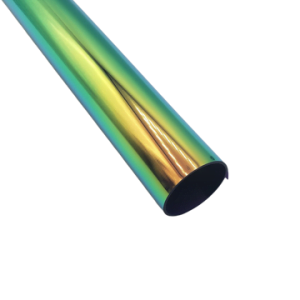
River City 20” Metallic Chameleon Foil Heat Transfer Vinyl – Metallic Brilliance
$12.00 -
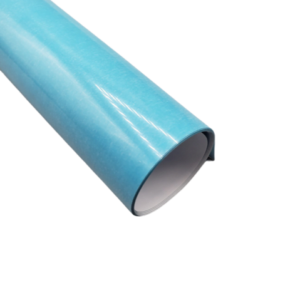
Siser Easyweed 15” Stretch Totally Teal Heat Transfer Vinyl – Thin and Flexible HTV
$10.99 -
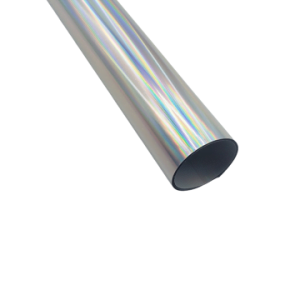
River City 20” Spectrum Foil Heat Transfer Vinyl – Metallic Brilliance
$12.00 -
Sale!
Siser EasyWeed 20” Gold Twinkle Heat Transfer Vinyl – Dazzle with Sparkly Crafting Creations
Original price was: $12.50.$10.50Current price is: $10.50.
Reviews